1
Normal activity checks you in
During your Active Hours, recent step activity can confirm normal activity automatically and reset the no-activity timer.
Live independently with extra peace of mind. QuietOK uses normal activity from your iPhone — or Apple Watch when available — as your check-in. Your current check-in is backed by QuietOK’s servers, so the deadline and email alert do not depend on the app being open at that moment.
Normal activity is the check-in. No daily tap required.
QuietOK quietly confirms activity, keeps the current check-in backed by its servers, and contacts Trusted People only when a check-in is missed.
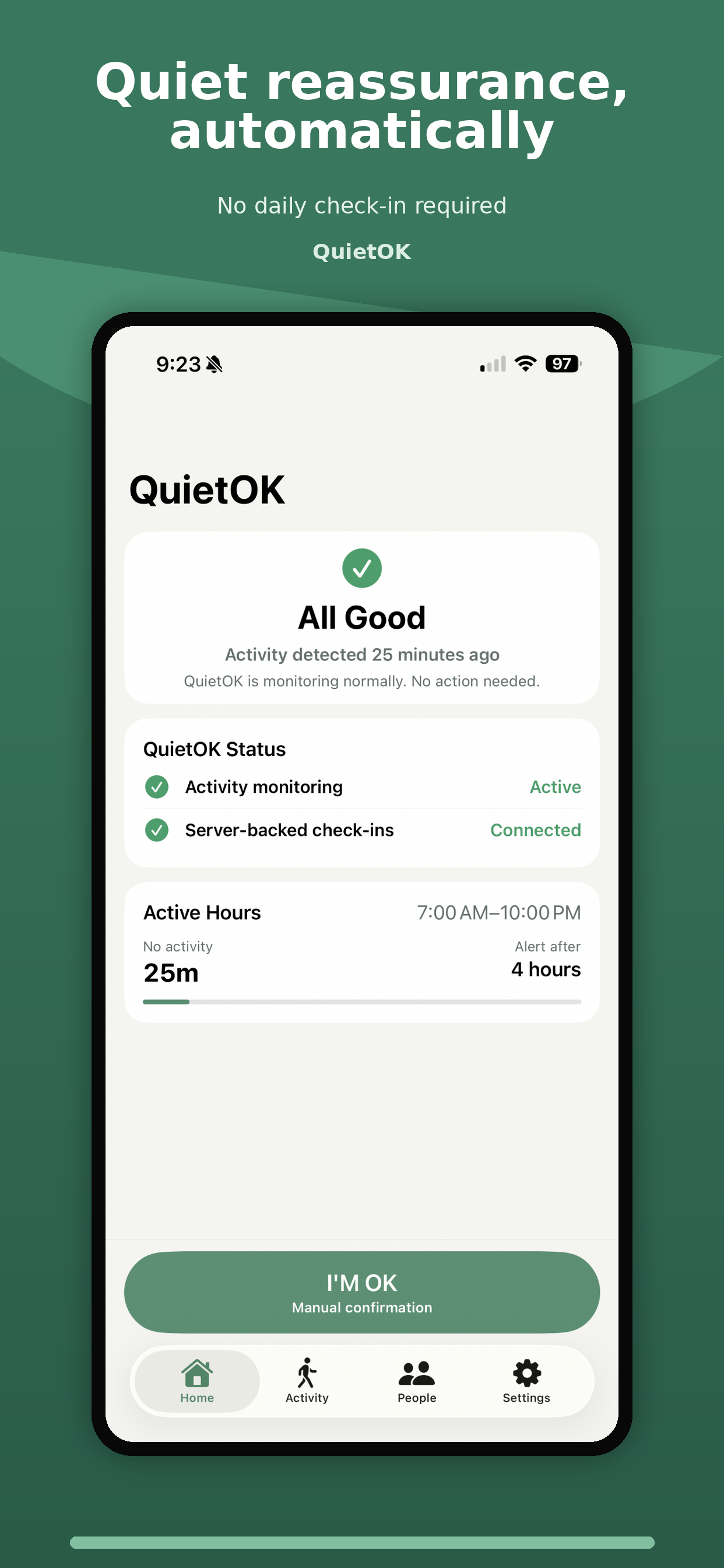
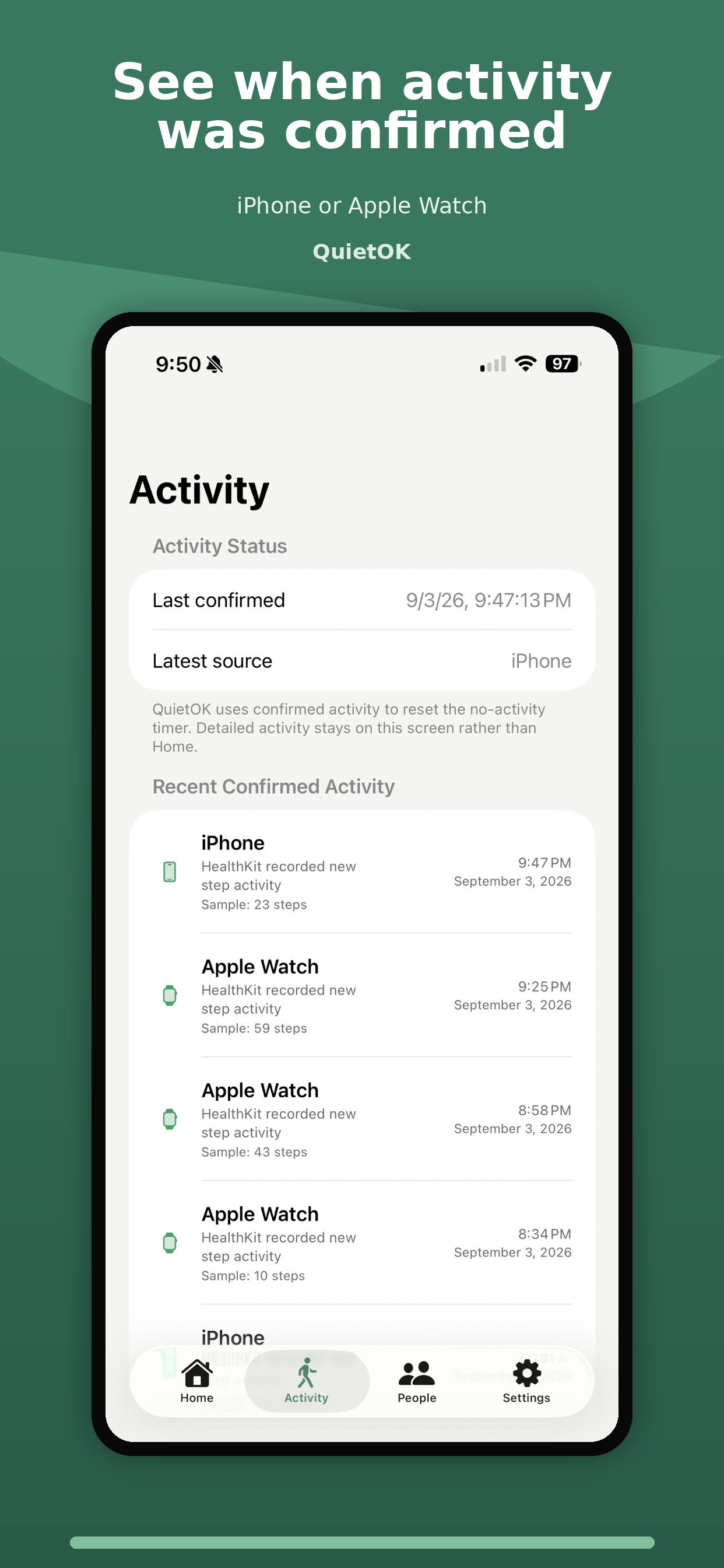
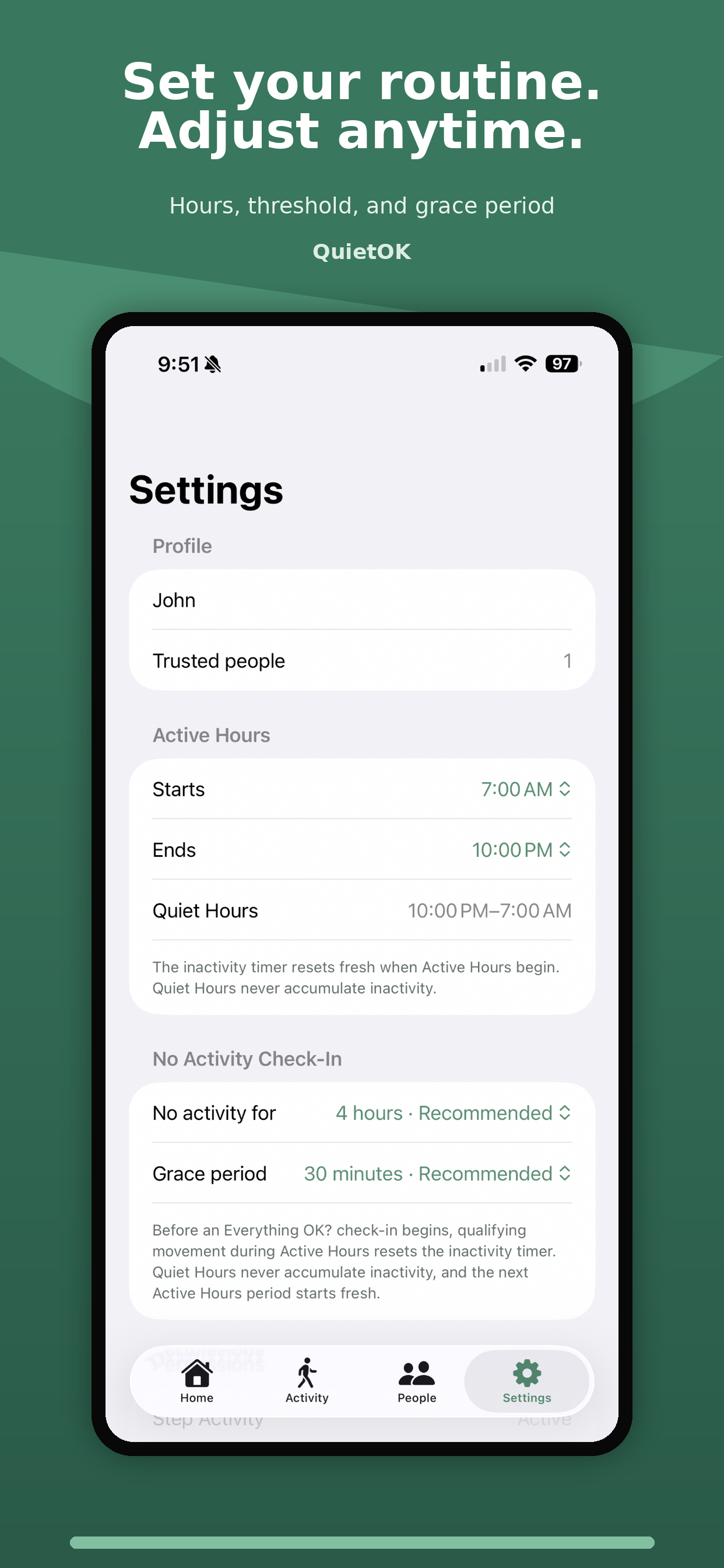
QuietOK is designed to stay out of the way. Recent step activity from your iPhone — or Apple Watch when available — is used to confirm normal activity automatically. Apple Watch is not required.
During your Active Hours, recent step activity can confirm normal activity automatically and reset the no-activity timer.
If the no-activity interval is reached, QuietOK starts a check-in and gives you time to respond. Enable Notifications for the background “Everything OK?” reminder.
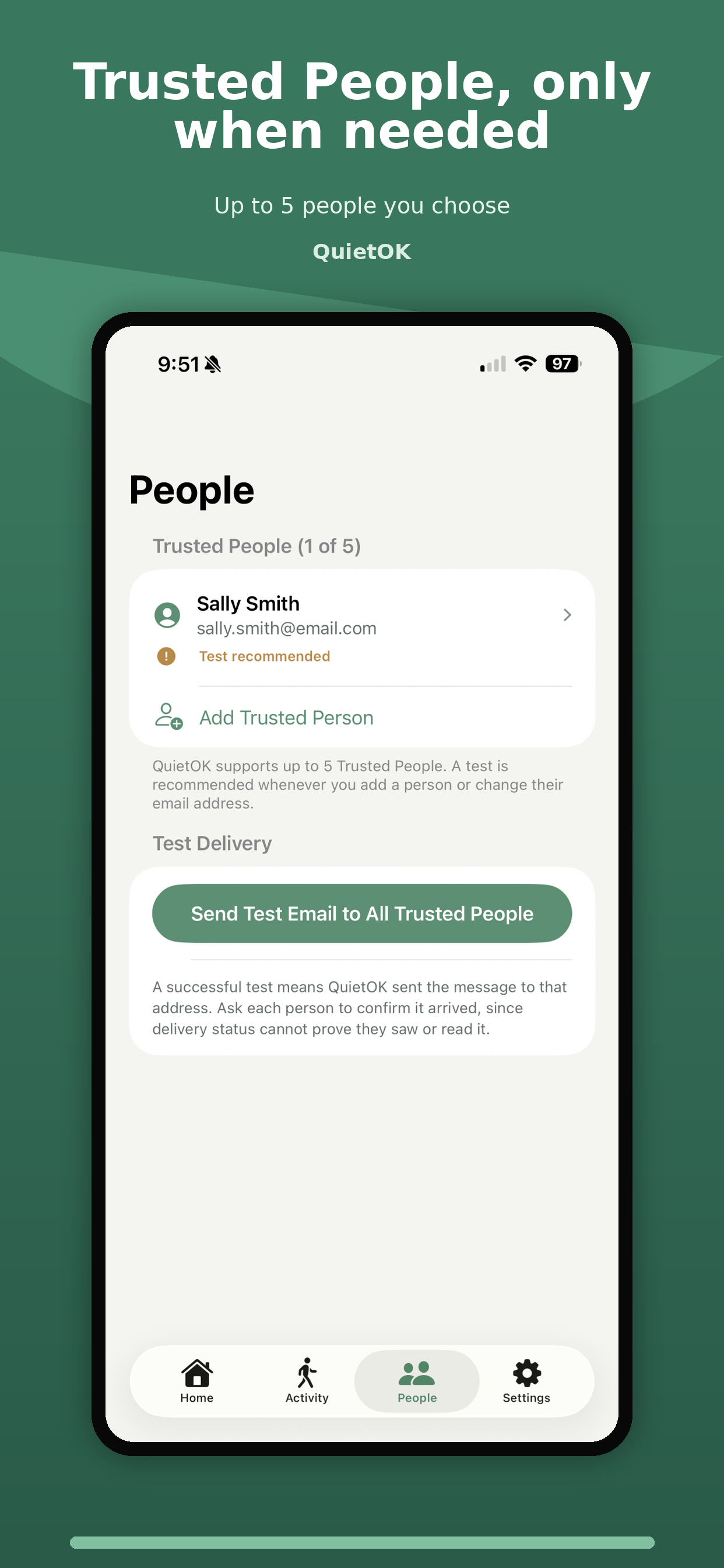
If you don’t respond and escalation has not been suppressed, QuietOK’s server can send a check-in email to the Trusted People you selected.
Your iPhone detects qualifying activity and securely syncs the latest confirmed activity time and current check-in schedule to QuietOK. From there, QuietOK’s servers keep track of the deadline and can send the Trusted Person email if the response period expires — even if the app is not open at that moment.
Qualifying activity updates the latest confirmed check-in time.
The current check-in schedule continues on the server after it is synced.
If you do not respond to the QuietOK prompt before the response period ends, the server emails your Trusted People.
The app uses only the information needed to provide the check-in service. Raw HealthKit step samples stay on your device.
No. QuietOK can use step activity from your iPhone. If Apple Watch step activity is available through HealthKit, QuietOK can use that too.
No. QuietOK does not request location permission and does not use location to provide check-ins.
No. Once the current check-in is synced, While your trial or subscription is active, QuietOK’s servers keep track of the synced deadline and can send the Trusted Person email if the response period expires and escalation has not been suppressed. Your iPhone still needs to report newer activity when it occurs, so connectivity and iOS background behavior can affect how quickly new activity reaches the server.
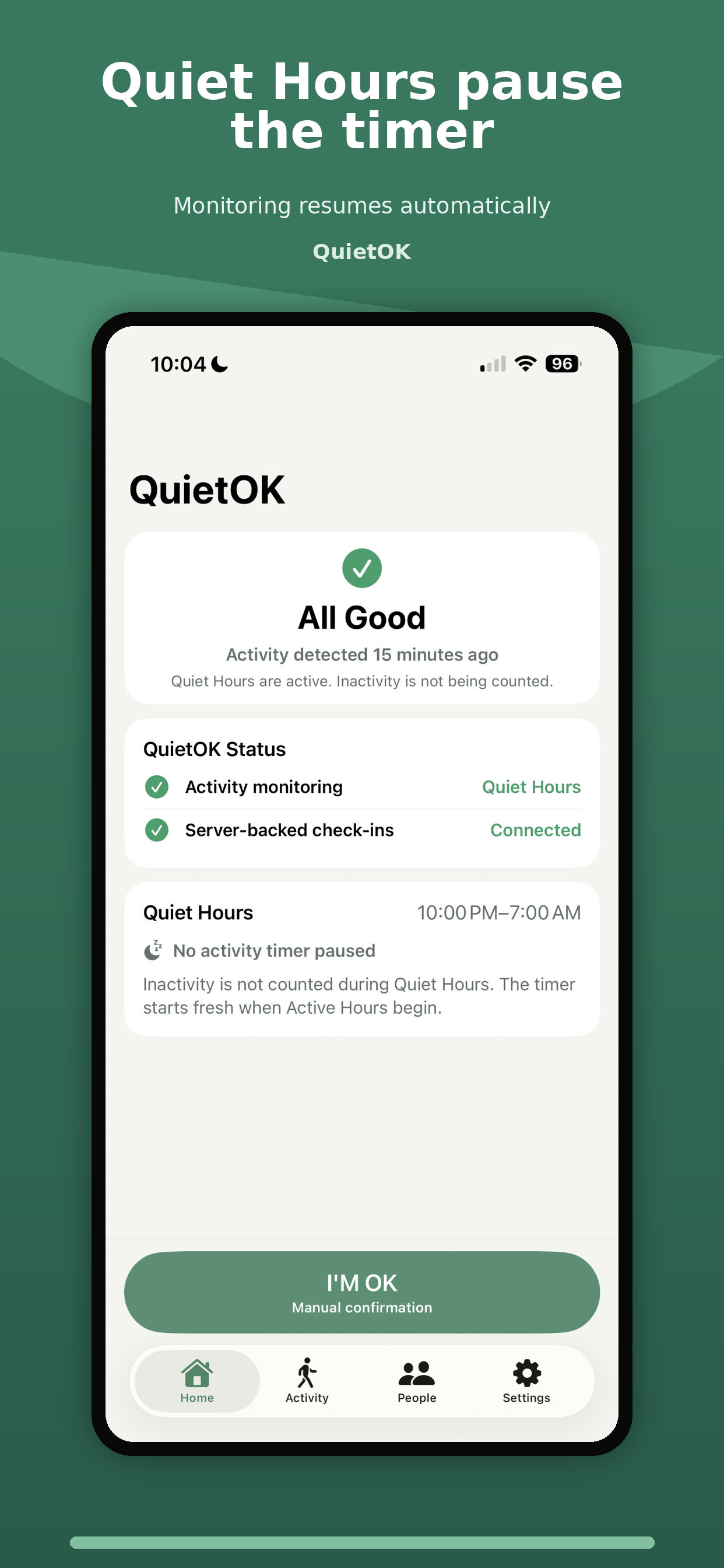
You set Active Hours. Quiet Hours do not accumulate inactivity, and the no-activity timer starts fresh when the next Active Hours period begins.
If QuietOK cannot confirm expected activity and you do not respond to the check-in, Trusted People receive an email asking them to check on you. If you later tap “I’M OK,” QuietOK can send an all-clear.
No. Notifications are optional. If you leave them off, QuietOK still monitors qualifying activity, keeps server-backed check-ins running, and can email Trusted People after a missed check-in. Without Notifications, QuietOK cannot show the background “Everything OK?” notification.
Yes. Health Steps access is optional. Without it, walking will not reset the inactivity timer. Open QuietOK and tap “I’M OK” to check in manually. With Notifications off too, you must open the app to check and respond; the server timer and Trusted Person emails still operate while subscription access is active.
Apple Health and iOS control background delivery, so new activity may be delayed. Opening QuietOK refreshes available steps. Activity after a check-in starts may suppress email escalation during grace but still requires “I’M OK.” Delayed activity from before the inactivity deadline can cancel an unnecessary check-in.
Use Settings in QuietOK to view access, restore purchases, or manage your Apple subscription. Cancel through Apple at least 24 hours before the trial or current subscription period ends to avoid renewal. Monitoring and new check-in emails pause when access expires. Deleting the app or QuietOK data does not cancel your subscription.
Yes. QuietOK is free to download. Eligible new subscribers receive a 7-day free trial, then pay $14.99 per year in the U.S. Prices vary by region. There is one annual plan and no monthly plan. The subscription renews automatically unless canceled.
Eligible new subscribers: 7 days free, then $14.99/year in the U.S. Automatically renews unless canceled. Prices vary by region.